End-to-End SAP ERP Automation Using BatchMan and Stonebranch UAC
Learn how the UAC BatchMan integration enables true end-to-end SAP and non-SAP automation and orchestration in a real-life demo.
SAP is the operational core of many enterprises: from order-to-cash and procure-to-pay to HR and logistics, hundreds or even thousands of background jobs run every day. The modular structure of the SAP ERP world, from classic ECC landscapes and process chains to today’s hybrid system architectures, creates an entire orbit of business processes that are ripe for SAP automation and background job scheduling. Processes like payment runs, MRP runs, and billing cycles all need to be on time, error-free, and fully traceable. This is precisely where BatchMan from HONICO by Stonebranch comes in.
What BatchMan Automates in SAP
BatchMan specializes in mission-critical SAP batch processes and can automate all SAP processes directly within the SAP system. Some of the most common business-critical processes orchestrated with BatchMan include:
- FI payment runs (e.g., F110/F150) in Finance, HR, Treasury, and Procure-to-Pay
- Material Requirements Planning (MRP), including ATP runs for available stock
- Mass activities for industries like energy or telecommunications: billing, invoicing, mass print runs at month- or year-end
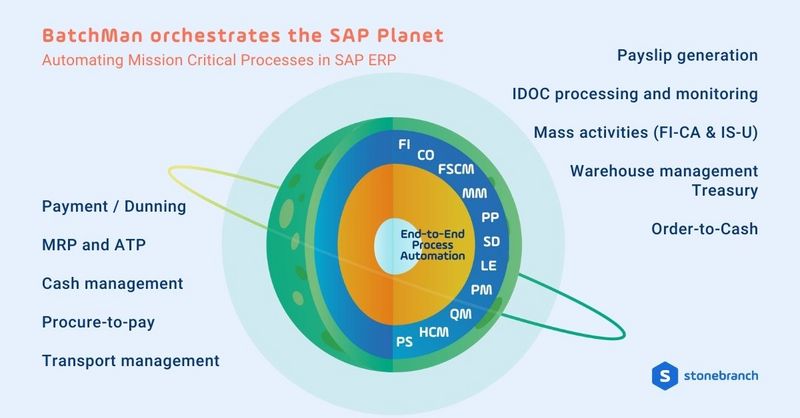
BatchMan is built with a deep understanding of end-to-end business processes — reflecting exactly how business teams work in the real world. Complex, multi-step chains with data movements, dependencies, and re-runs are automated in a reliable, repeatable manner.
No-Code Automation for Business Users
Instead of being just a tool for SAP Basis, BatchMan is deliberately designed for business users. Its intuitive, no-code interface, directly inside SAP, features predefined job types like payment runs, archiving, and mass activities. Moreover, it offers graphical workflows with conditions, schedules, and file triggers, as well as convenient monitoring, alerting, and error handling that business teams can directly manage — eliminating the need for IT ticket ping-pong.
This enables actual citizen development in the SAP orbit: IT provides the platform, then business departments define and manage their own processes – including that morning check, “Is everything green?”
When SAP isn’t the Only Planet in the Universe: The Step to UAC
BatchMan covers the SAP ecosphere in great depth – including some non-SAP capabilities (file transfers, REST calls, light agent-based tasks). But modern enterprises rarely live in SAP alone. Instead, their IT universe includes:
- Data platforms
- Mainframes
- Cloud services
- External applications
- ETL pipelines
- Hybrid environments
This is where Stonebranch Universal Automation Center (UAC) comes in:
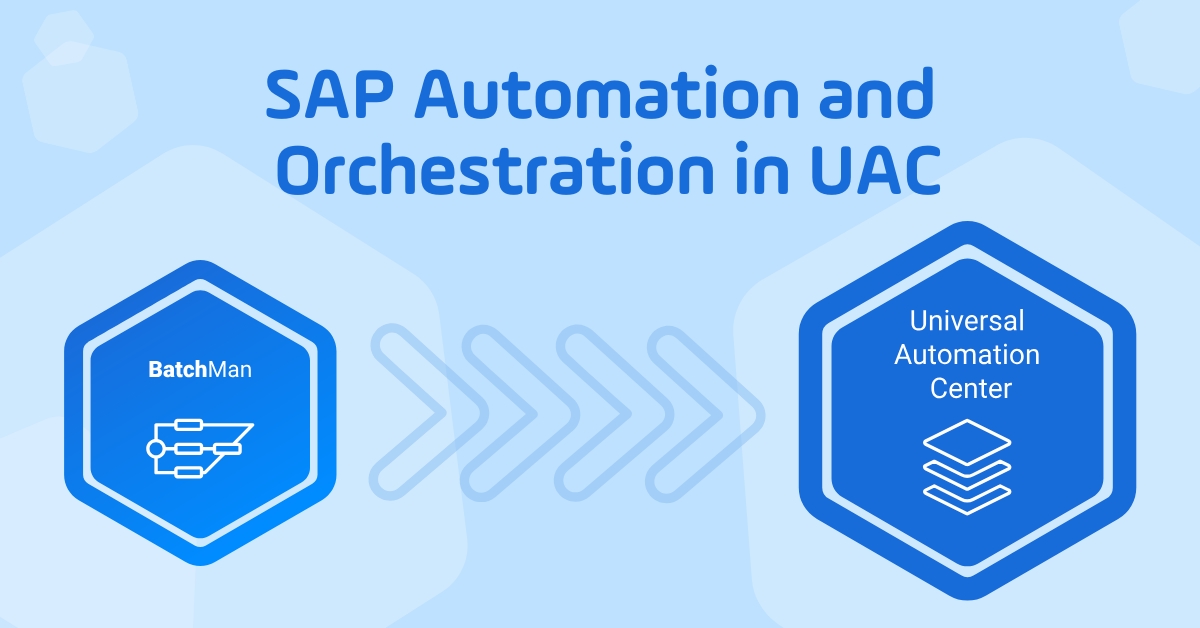
While BatchMan is an SAP automation specialist, UAC delivers enterprise-wide orchestration across SAP and non-SAP systems, truly end-to-end.
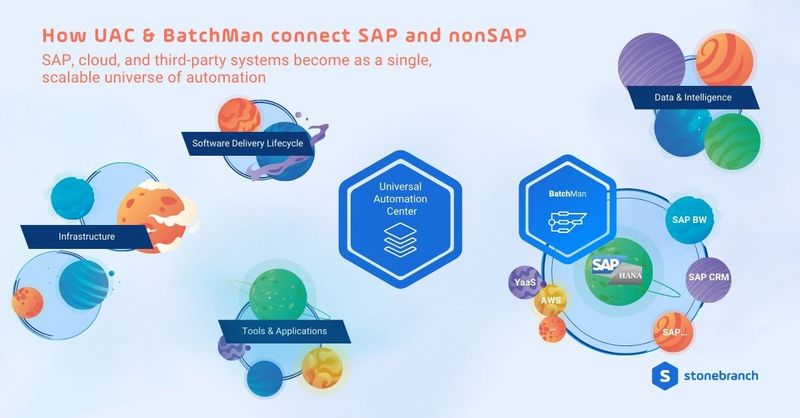
From Orbit to Universe: Orchestrating BatchMan Processes in UAC
Once SAP processes are configured in BatchMan, they don’t have to stay confined within the SAP GUI. With the new BatchMan integration for Universal Automation Center (UAC), BatchMan jobs and nets (the BatchMan equivalent to UAC workflows) become native tasks inside UAC workflows. With this integration, you can trigger and monitor BatchMan-configured SAP processes from UAC, including:
- ABAP jobs
- Managed File transfers (MFT)
- Payment and dunning runs
- BW process chains
- SARA archiving runs
- IS-U mass activities
Existing BatchMan investments are preserved, while organizations gain the ability to orchestrate them alongside any of the 100+ UAC integrations available on the Stonebranch Integration Hub.
BatchMan Integration for UAC: SAP Commission Run Demo
The video below walks through a concrete example: an SAP commission run. A salesperson uploads new sales data to SharePoint, UAC streams it into an S3 data lake, loads it into SAP via the SAP Job Scheduling Service on BTP, and then triggers BatchMan ABAP jobs for commission and bonus calculations. You’ll learn how BatchMan jobs and nets are selected, parameterized, and embedded into a larger UAC workflow automation that spans both SAP and non-SAP systems.
BatchMan Integration for UAC: Monitoring, Approvals, and Cloud Analytics in One Workflow
In the second part of the demo, the focus shifts from the integration itself to the control and governance of the end-to-end workflow. Before the monthly BatchMan commission run is allowed to execute, UAC introduces an Approval Task that defines exactly who can approve and under which rules. By example, a “specific user”, “all must approve,” or “one is enough.” Approvals can be completed in UAC or via the mobile-friendly Universal Portal self-service front-end.
Once the commission run is approved, the workflow continues with:
- BatchMan tasks that only run under specific run criteria (e.g., last business day of the month)
- SAP BTP integrations, including IBP templates with complex parameters provided via script or YAML
- Additional approvals via Slack, powered by webhooks for instant feedback
- Databricks jobs and Azure Synapse pipelines for advanced analytics and machine learning
In the video below, you’ll see how monitoring, approvals, and analytics all come together within a single UAC workflow that extends BatchMan-powered SAP automation across the cloud ecosystem.
Conclusion
With BatchMan, companies gain full control of their business-critical SAP processes, such as MRP runs, dunning runs, and mass activities. Now that BatchMan integrates with Stonebranch UAC, the world of SAP automation becomes part of a much broader scope: the orchestration of a process universe.
Together, BatchMan and UAC help enterprises:
- Keep mission-critical SAP processes on time and fully traceable.
- Empower business users with no-code, self-service automation.
- Govern approvals and compliance from a single control plane.
- Reuse your existing BatchMan investments in a future-ready orchestration layer
See the bigger picture in this automation galaxy. Watch the full webinar to see how Stonebranch and HONICO are building an SAP automation powerhouse.
Frequently Asked Questions: SAP Automation and Orchestration with UAC and BatchMan
What is HONICO BatchMan?
HONICO BatchMan is an SAP automation solution that controls and schedules business-critical background processes directly inside SAP, such as payment runs, MRP runs, and mass activities.
Which SAP processes can BatchMan automate?
BatchMan automates FI payment and dunning runs, material requirements planning (MRP), BW process chains, SAP archiving jobs, and IS-U mass activities, such as billing, invoicing, and print runs.
What is Stonebranch Universal Automation Center (UAC)?
Stonebranch Universal Automation Center (UAC) is an IT automation and orchestration platform that connects and manages workloads across SAP, mainframe, cloud services, data platforms, and other business applications.
How do BatchMan and UAC work together?
BatchMan stays the SAP specialist, while UAC orchestrates BatchMan jobs and nets together with non-SAP tasks. BatchMan objects are exposed as native tasks in UAC workflows for end-to-end process orchestration.
What is an example use case for BatchMan and UAC?
A typical use case is an SAP commission run where sales data is uploaded to SharePoint, moved to an S3 data lake, loaded into SAP via SAP Job Scheduling Service on BTP, and then processed by BatchMan ABAP jobs, all orchestrated by UAC.
What are the main benefits of combining BatchMan with UAC?
The combination helps enterprises keep SAP processes on time and traceable, enable no-code self-service for business users, centralize approvals and compliance, and reuse existing BatchMan configurations in a future-ready orchestration layer.
Do existing BatchMan configurations still work when UAC is introduced?
Yes. Existing BatchMan jobs and nets remain in place and are reused inside UAC workflows, so organizations extend their current SAP automation instead of replacing it.
Start Your Automation Initiative Now
Schedule a Live Demo with a Stonebranch Solution Expert