


Product information "UAC Utility: Enhanced Windows"
Windows workloads are typically executed as commands or batch scripts through the Windows command interpreter. Such workloads often depend on a specific set of environment variables being in place and on their output being written to a known location.
This Universal Task allows customers to run Windows commands and batch scripts on a Universal Agent for Windows straight from the Universal Controller, with control over the environment applied before execution and over where standard output and standard error are written.
Key Features
- Run a Windows command or an inline batch script and return its exit code and output to the task instance.
- Apply environment variables from a profile file before execution, either from a batch file or from a file of KEY=VALUE pairs.
- Write STDOUT and STDERR to files, append to existing files, or cross-redirect one stream into the other.
| Extension Name: | ue-enhanced-windows |
|---|---|
| Universal Template Name: | Enhanced Windows |
| Version: | 1.0.0 |
| Compatibility : | UC/UA 7.6 and above |
| Support: | Stonebranch Certified |
Use Case 1: Collect a Windows Host Report and Email it to Stakeholders
Description
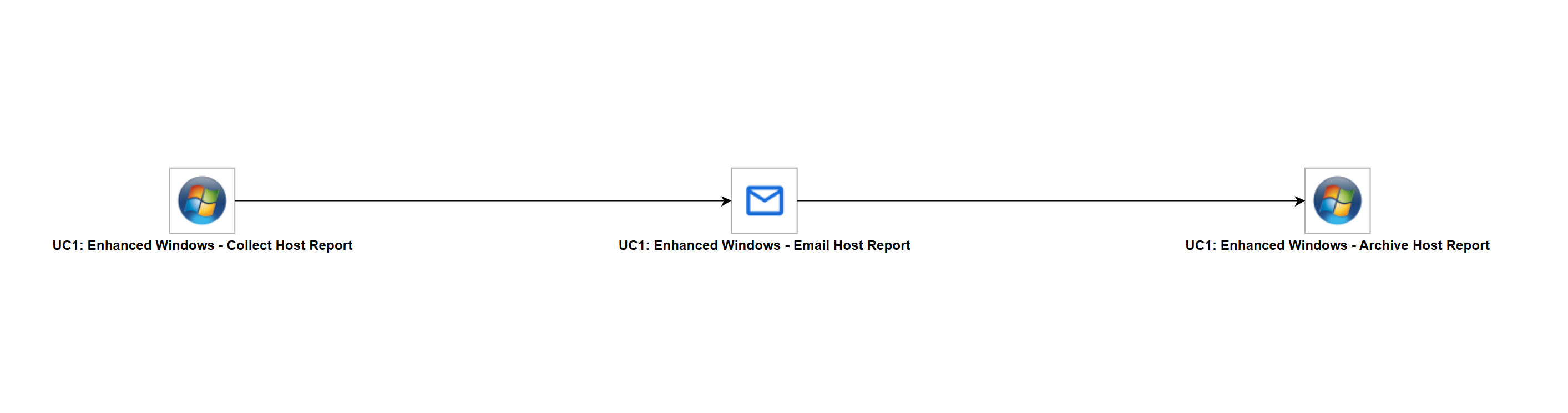
This workflow collects a configuration report from a Windows host, sends it to the stakeholders as an email attachment, and archives it on the host. An Enhanced Windows Task runs a batch script that collects the host configuration and captures the output to a report file, the UAC Utility: Email integration delivers that file to the stakeholders, and a second Enhanced Windows Task copies the report into an archive directory while appending the outcome to a history log retained across runs.
The workflow demonstrates how Enhanced Windows executes both scripts and commands on a Universal Agent for Windows, with control over where the output of each execution is written. It also shows how the files produced on the Agent host are consumed by downstream tasks, allowing Windows workloads to participate in a broader orchestration rather than running in isolation.
Business Value
- Capability to run existing Windows commands and batch scripts from the Universal Controller without rewriting them.
- Delivery of the output produced on a Windows host to stakeholders automatically, with no manual collection step.
- Retention of an audit trail of every run through a history log that grows across executions.
- Reuse of the files produced by a Windows workload in downstream tasks of the same workflow.
- Central scheduling and monitoring of Windows workloads alongside the rest of the automation estate.
Technical Capabilities
- Executes a batch script defined in the Universal Controller Scripts library on a Universal Agent for Windows, with Universal Controller variables resolved in the script body before execution.
- Executes a command on the same Agent, demonstrating both execution modes of the integration in a single workflow.
- Redirects STDOUT and STDERR to files on the Agent host while also returning the captured output to the task instance.
- Appends to an existing file instead of overwriting it, so a log accumulates one entry per workflow run.
- Resolves every host path, Agent name, and email address from Universal Controller global variables, keeping the workflow portable across environments.
The solution shows that Windows commands and scripts do not have to remain isolated on the host that runs them. Their output becomes an artifact the rest of the workflow can act on, which turns existing Windows automation into a scheduled, monitored, and auditable part of the Universal Automation Center.